This post contains affiliate links, marked with *. As an Amazon Associate I earn from qualifying purchases, at no extra cost to you. It helps keep the tutorials free.
The video loads from YouTube (Google), which may set cookies. Privacy policy
Quick summary
Arduino is an open-source electronics platform: microcontroller boards plus free software to program them. The classic Arduino Uno R3 uses the ATmega328P microcontroller. For a first project, the Uno R3 is the usual choice. The Nano has the same chip in a breadboard format, the Mega 2560 adds pins and serial ports for large projects, and the Micro and Leonardo can act as a USB keyboard or mouse.
My first board was an Arduino Uno, and my first project with it was controlling a DC (direct current) motor. The part of the board that controls the motor is a microcontroller, a chip that reads inputs, makes a decision and switches outputs.
What is a microcontroller?
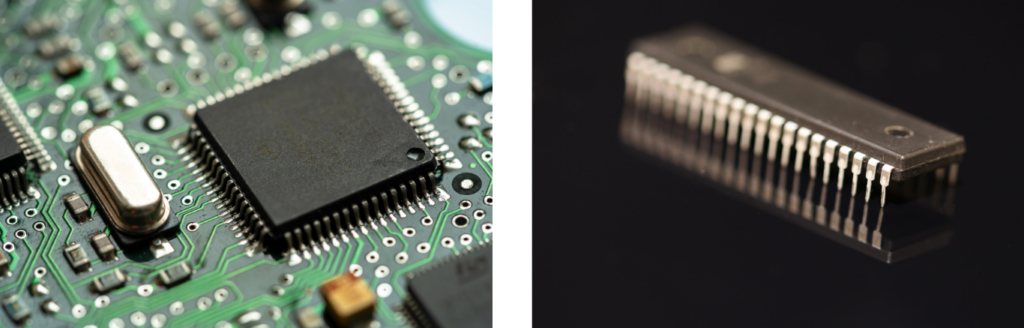
A microcontroller is a small computer on a single chip: processor, memory and input/output pins in one package. It has far less memory than a PC, but its pins connect directly to buttons, sensors and LEDs. Think of it as the small brain of a device.
Real-world example: the washing machine
The microcontroller in a washing machine reads the control buttons and two sensors, then decides what the machine does next. You pick the program with the buttons. The water level sensor reports how full the drum is, and the temperature sensor measures the water temperature.
With this data, the microcontroller switches the actuators, the parts that move or change something. The motor turns the drum during the wash and spin cycles, the valve lets water in, and the display shows the program status.
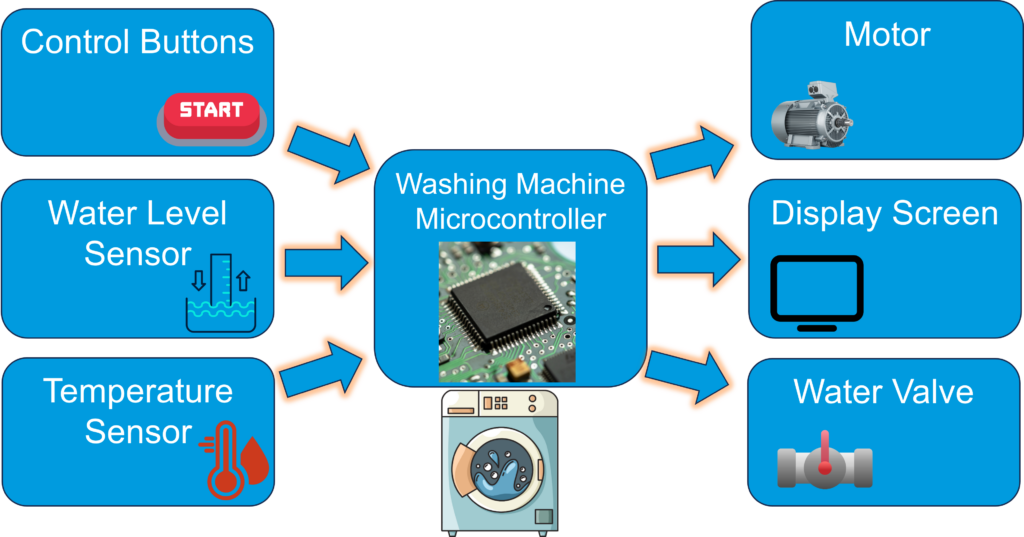
A robot works the same way: sensors measure, the microcontroller decides, and actuators move. In my line-following robot, two KY-033 infrared sensors report whether they are over the white line on the dark background. The Arduino Uno compares the two readings, and two geared DC motors steer the car back onto the line.
What is Arduino?
Arduino has two parts. The hardware is a development board: a microcontroller plus a USB port, a power circuit and pin headers (rows of sockets along the board edges) for sensors and actuators. The software is the free Arduino IDE (Integrated Development Environment), where you write programs and upload them to the board. Both are open source: the circuit designs and the code are published, and anyone may copy and modify them.
Arduino programs are called sketches. A sketch is C++ code that uses the Arduino framework, a set of ready-made functions such as digitalWrite(). The IDE compiles the sketch, which means it translates it into machine code for the chip, and uploads it over USB. The bootloader, a small program pre-installed on the microcontroller, receives the code and stores it in flash memory, the chip’s program memory that keeps its content without power. If you want to know how C/C++, graphical tools and Python compare, read my guide on microcontroller programming types.
Arduino started in 2005 at the Interaction Design Institute Ivrea in Italy as a low-cost board for design students.
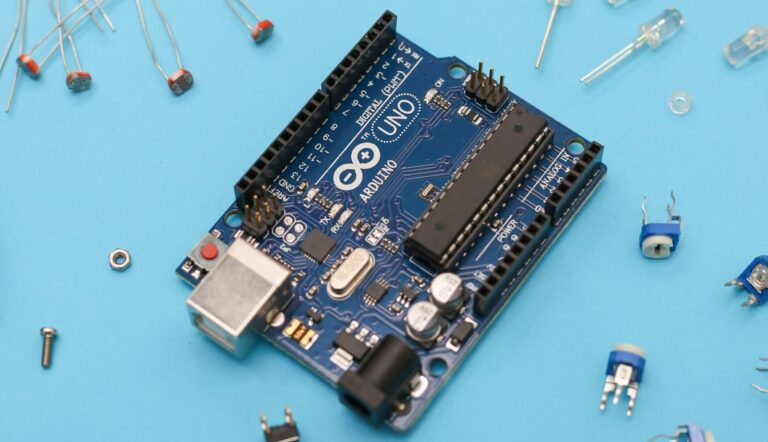
The Arduino Uno R3
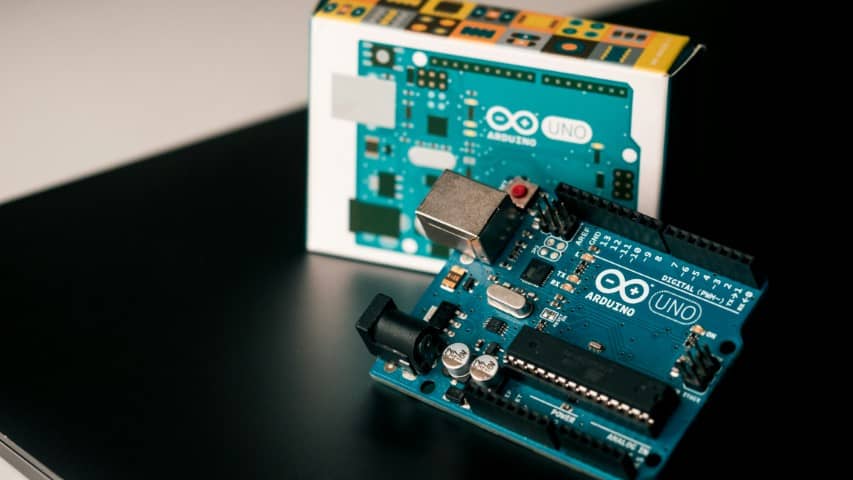
The Arduino Uno R3 is the most common board in the family. “Uno” means “one” in Italian. The first Uno came out in 2010, and the name was chosen to mark version 1.0 of the Arduino software. The newer Uno R4 (2023) has the same size and pin layout but a faster 32-bit chip, which processes 32 bits of data per step. This guide describes the R3.
Its microcontroller is the ATmega328P from Microchip (formerly Atmel). It is an 8-bit chip and runs at 16 MHz (16 million clock cycles per second). It has 32 KB of flash memory for your program, 2 KB of SRAM for variables while the program runs, and 1 KB of EEPROM for values that must survive a power cut. SRAM is erased when the power is off.
What is on the board
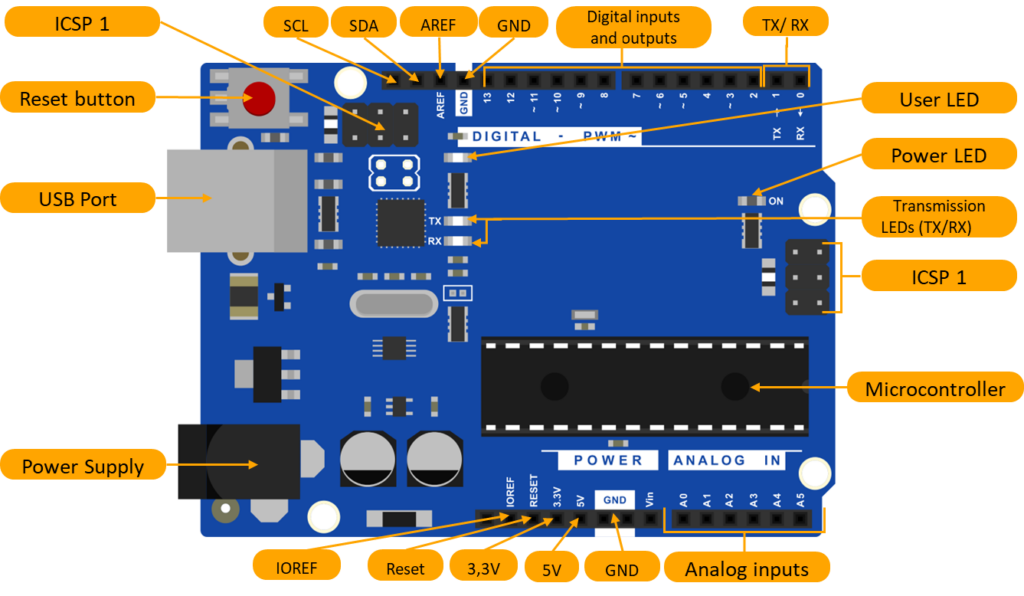
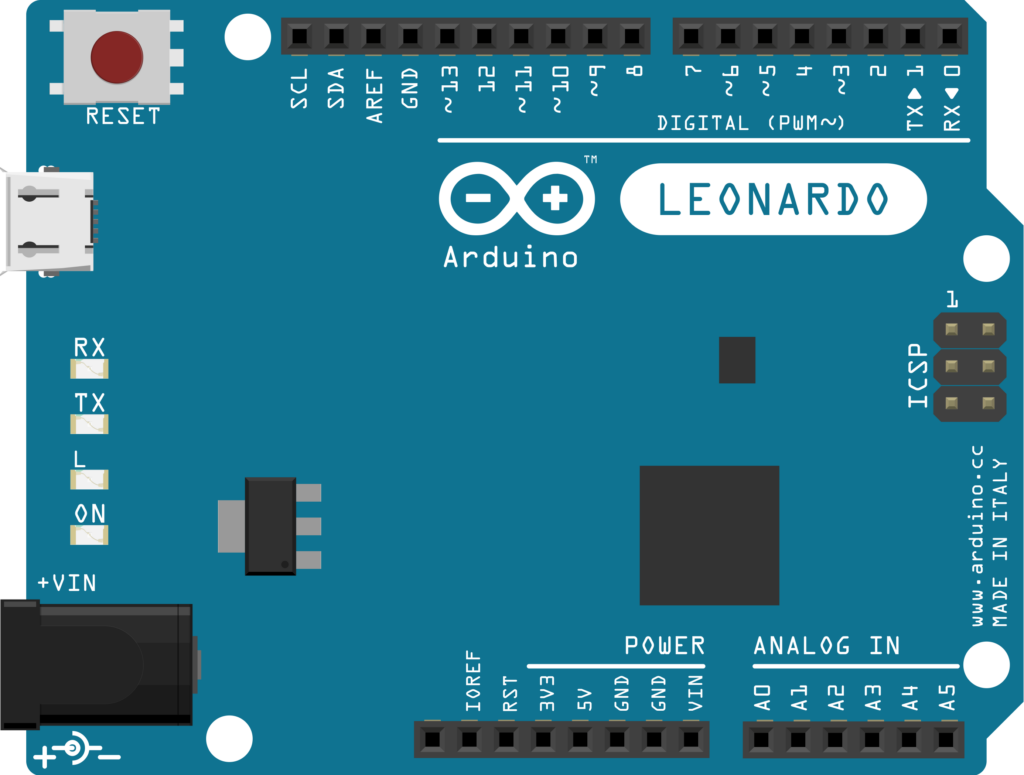
- Reset button: Restarts your program from the beginning without unplugging the power.
- Microcontroller: The ATmega328P runs the program you upload and reads and switches the pins.
- Built-in LED (L): Connected to digital pin 13. The Blink example sketch in the Arduino IDE switches it on and off, a quick test that an upload worked.
- Power LED (ON): Lights up when the board has power.
- TX/RX LEDs: The TX (transmitter) LED blinks when the board sends data, the RX (receiver) LED when it receives data.
- USB port (Type-B): Powers the board, uploads your sketch and carries serial data between the board and your computer. Serial communication means the data travels one bit after another over one wire. The Serial Monitor in the Arduino IDE shows this data on your screen, which is the usual way to check sensor values.
- Power jack: 2.1 mm barrel socket (center pin positive) for an external supply of 7 to 12 V, for example when the board runs without a computer. Motors and servos still need their own supply.
- ICSP headers: Two 6-pin headers for programming a chip with an external programmer, bypassing the bootloader (ICSP stands for In-Circuit Serial Programming). The header next to the ATmega328P programs the main chip; the one near the USB port programs the ATmega16U2, the small chip that handles USB. Beginners rarely need either.
- Mounting holes: Four holes for screwing the board to a base plate or into a housing, useful when the board sits on a moving robot.
The pins
- Digital pins D0 to D13: Input or output with 5 V logic, which means a signal is either off (0 V) or on (5 V). Use them, for example, to read a push button or switch an LED. Keep the current per pin at 20 mA or less. Pins marked ~ (3, 5, 6, 9, 10, 11) can also output PWM (pulse-width modulation). The pin then switches on and off hundreds of times per second, which dims an LED or sets a motor speed.
- TX/RX (pins 1 and 0): The Uno R3’s hardware serial port. The USB connection to your computer uses the same two pins, so a module wired to pins 0 and 1 can block uploads. This happened to me with the HC-05 Bluetooth module: it was wired to pins 0 and 1, and the Arduino IDE reported an upload error. Disconnect such a module while uploading, or connect it to other pins.
- Analog inputs A0 to A5: Convert a voltage between 0 and 5 V into a number from 0 to 1023 (10-bit resolution, 1024 steps).
- SDA and SCL: The two wires of the I2C bus, a protocol that lets several devices share two wires (SDA carries the data, SCL the clock signal). On the Uno R3 they are connected to A4 and A5. Typical I2C devices are sensors, small displays and EEPROM memory chips.
- AREF (analog reference): An optional external voltage between 0 and 5 V that sets the upper end of the analog input range. Set analogReference(EXTERNAL) in your code before you connect a voltage here; otherwise the external voltage and the internal reference are connected together, which can damage the chip.
- GND: The 0 V reference of the board; current flows back to the source through these pins. When you use an external supply, for example for servos, connect its GND to an Arduino GND. Without this common ground, signals between the board and the module are not read correctly.
- VIN: Input for an external 7 to 12 V supply, as an alternative to the power jack.
- 5 V: Regulated 5 V output for sensors and small modules; regulated means the board holds the voltage constant. On USB power, the board and everything connected to it share at most 500 mA; a resettable fuse on the Uno R3 protects the USB port. Servos and motors need their own supply.
- 3.3 V: Output of a separate voltage regulator, a part that holds its output at 3.3 V. It supplies at most 50 mA. It can power a small 3.3 V sensor, but the Uno R3’s signal pins still use 5 V. A module that only tolerates 3.3 V on its data lines therefore needs a level shifter, a small board that converts 5 V signals to 3.3 V.
- IOREF: Tells a shield, a plug-on expansion board, which logic voltage the board uses (5 V on the Uno R3), so the shield can adapt its signal levels.
- Reset: Restarts the microcontroller, same as the reset button.
Comparing Arduino boards
| Board | Microcontroller | Digital I/O (PWM) | Analog inputs | Flash | SRAM | Clock | USB |
|---|---|---|---|---|---|---|---|
| Uno R3 | ATmega328P | 14 (6) | 6 | 32 KB | 2 KB | 16 MHz | USB Type-B |
| Mega 2560 | ATmega2560 | 54 (15) | 16 | 256 KB | 8 KB | 16 MHz | USB Type-B |
| Nano | ATmega328P | 14 (6) | 8 | 32 KB | 2 KB | 16 MHz | Mini-USB |
| Micro | ATmega32U4 | 20 (7) | 12 | 32 KB | 2.5 KB | 16 MHz | Micro-USB |
| Leonardo | ATmega32U4 | 20 (7) | 12 | 32 KB | 2.5 KB | 16 MHz | Micro-USB |
The Uno R3’s six analog pins can also work as digital pins. On the Micro and Leonardo, the 20 digital pins already include the analog pins.
Arduino Uno R3: It is too wide to plug into a breadboard (a board with spring contacts for building circuits without soldering). You connect the two with jumper wires (short wires with a plug on each end). Most shields are made for its header layout. In my projects it is the standard board.
Arduino Mega 2560: It has more pins and memory than the Uno R3, and four hardware serial ports (the Uno R3 has one). This helps when you connect several modules, such as GPS and Bluetooth, at the same time. It is popular for 3D printers and robots. I take it when I run out of pins, as in my robot car with four ultrasonic sensors, a motor shield and a Bluetooth module.
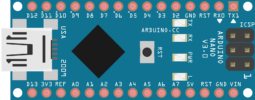
Arduino Nano: The Nano uses the same ATmega328P at 16 MHz, so code runs exactly as on the Uno R3. It plugs into a breadboard and has a Mini-USB port. It has 14 digital I/O pins, 8 analog inputs (A6 and A7 are analog-only) and 32 KB of flash memory. I use it for small projects where I need few pins and little space.
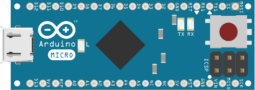
Arduino Micro: Its ATmega32U4 handles the USB connection itself, without a separate USB chip. So the Micro can act as a USB keyboard or mouse for your computer while it runs your sketch. It has 20 digital I/O pins, 12 analog inputs and a Micro-USB port.
Arduino Leonardo: It uses the same ATmega32U4 as the Micro and can also act as a USB keyboard or mouse. It has the size and header layout of the Uno R3, so most shields made for the Uno R3 fit on it. It has a Micro-USB port, 32 KB of flash memory and 2.5 KB of SRAM.
Shields: The Uno R3, Mega 2560 and Leonardo take shields, plug-on boards that add functions such as motor control, Wi-Fi or GPS without extra wiring. The Nano and Micro do not fit standard shields; you connect modules to them on a breadboard.
Alternatives to Arduino
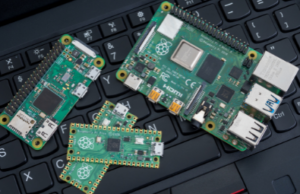
Raspberry Pi: A complete computer on one small circuit board, running the Linux operating system. An operating system is the base software that manages memory, files and other programs, as Windows does on a PC. It handles heavier tasks such as camera image processing, media servers or home automation. It has to boot its operating system first, and its 3.3 V pins do not tolerate 5 V. An Arduino runs no operating system: your program starts right after power-up and its timing is predictable, which suits control tasks such as reading sensors and driving motors.
ESP32: A microcontroller from Espressif with built-in Wi-Fi and Bluetooth. The classic ESP32 has a dual-core processor (two processor cores that run code at the same time) at up to 240 MHz and can be programmed in the Arduino IDE. Its pins use 3.3 V logic, not 5 V. It is a common choice for IoT (Internet of Things) projects, where a device sends data over the network. I switched to the ESP32 in my later projects for Wi-Fi, Bluetooth and speed. My OmArm Zero robotic arm, for example, is controlled from a web page over Wi-Fi, which an Uno R3 cannot do without an extra module.
Which board to choose
Start with the Uno R3. Change the board only when the project asks for it:
- Nano: the board must sit on a breadboard or fit into a small housing.
- Mega 2560: you run out of pins or serial ports.
- Micro or Leonardo: the board must act as a USB keyboard or mouse.
- ESP32: the project needs Wi-Fi or Bluetooth.
The next step is your first sketch: Arduino Programming Basics.
5 thoughts on “What is Arduino?”