


OmArm One: ROS 2 Workspace – Digital Twin, ros2_control & MoveIt 2 on Real Hardware, 2 PDF Guides (Parts 2 + 3)
19,00 €Launch price until 30 Nov 2026, then 29,00 €
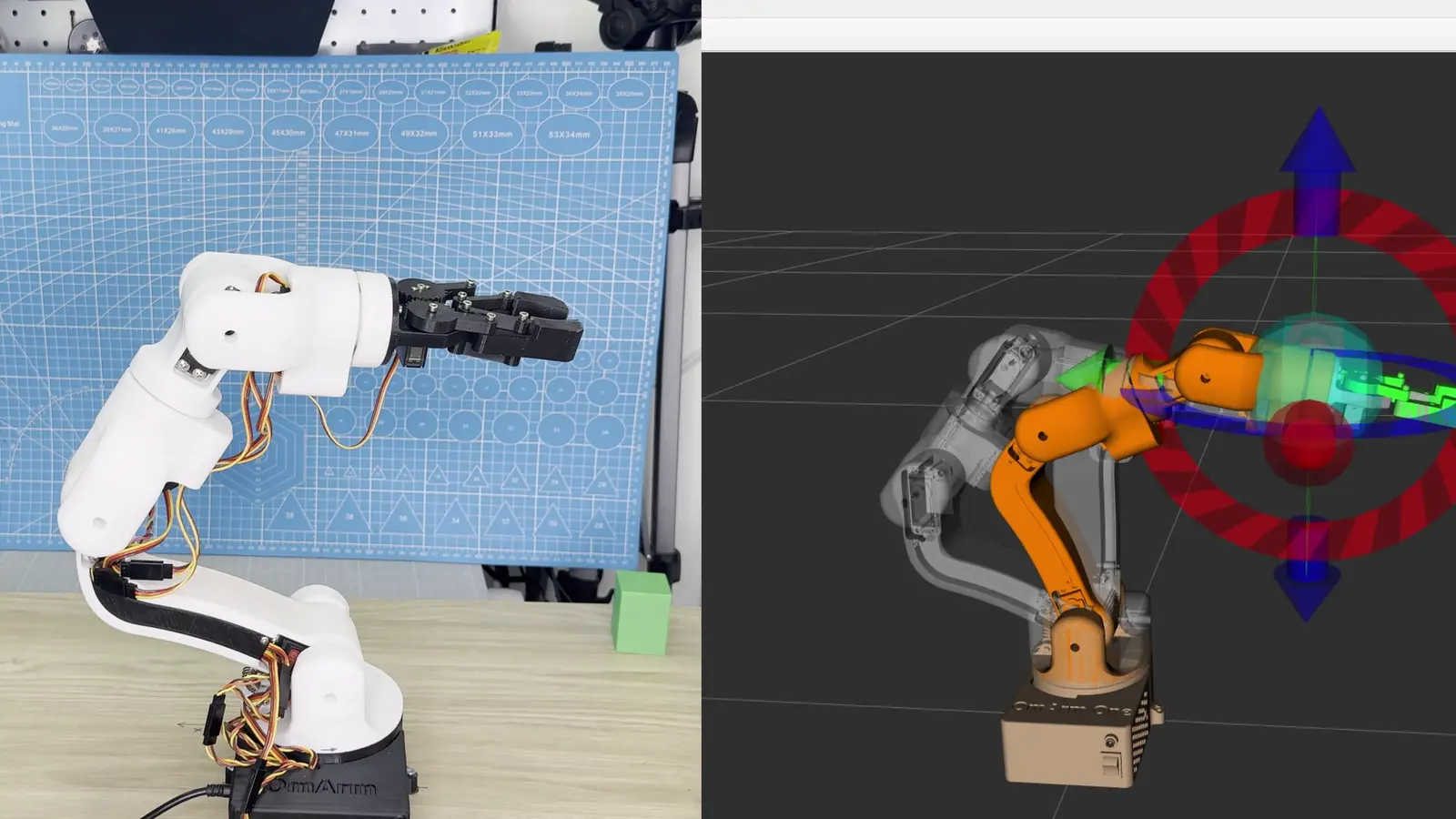
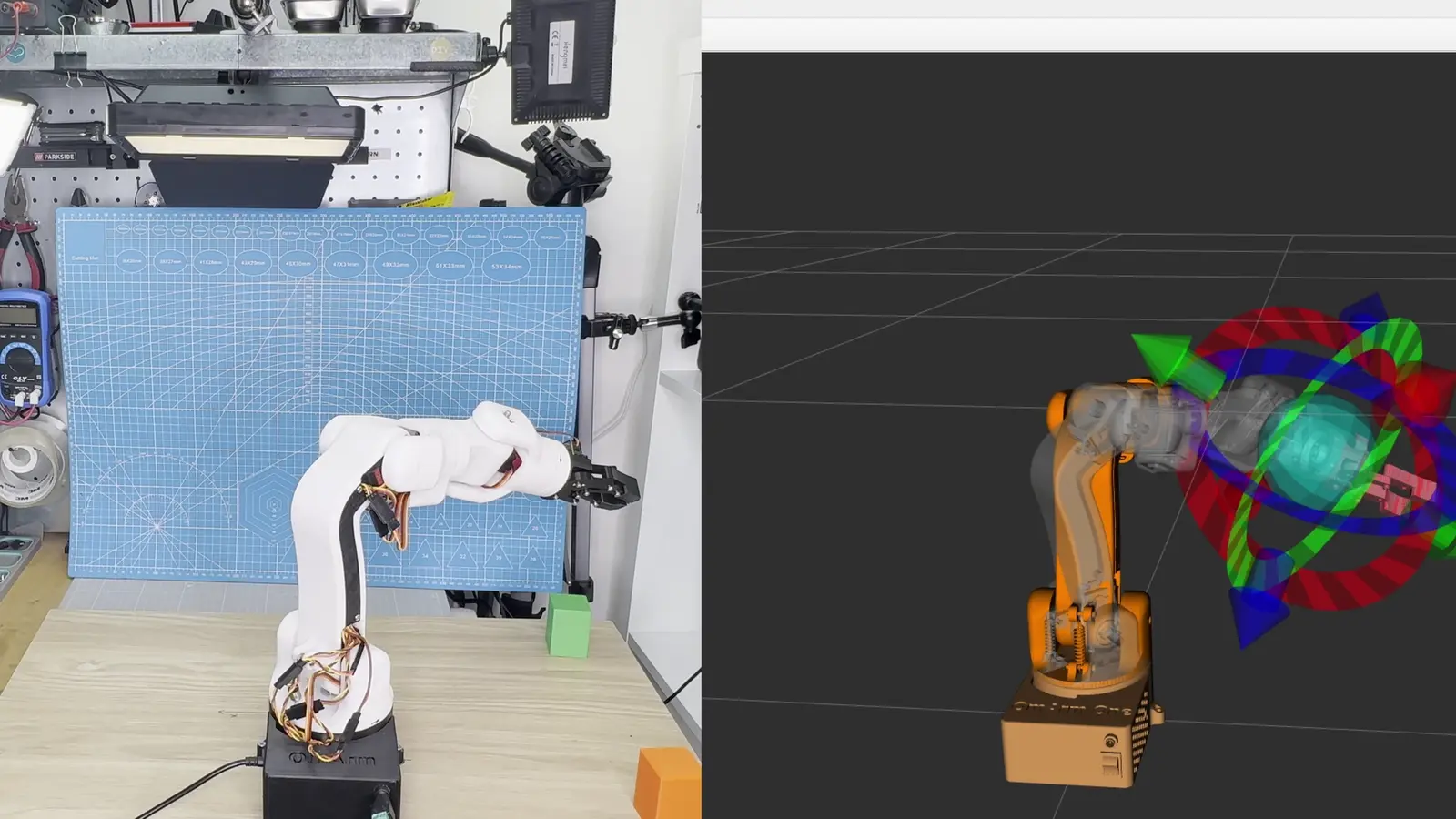
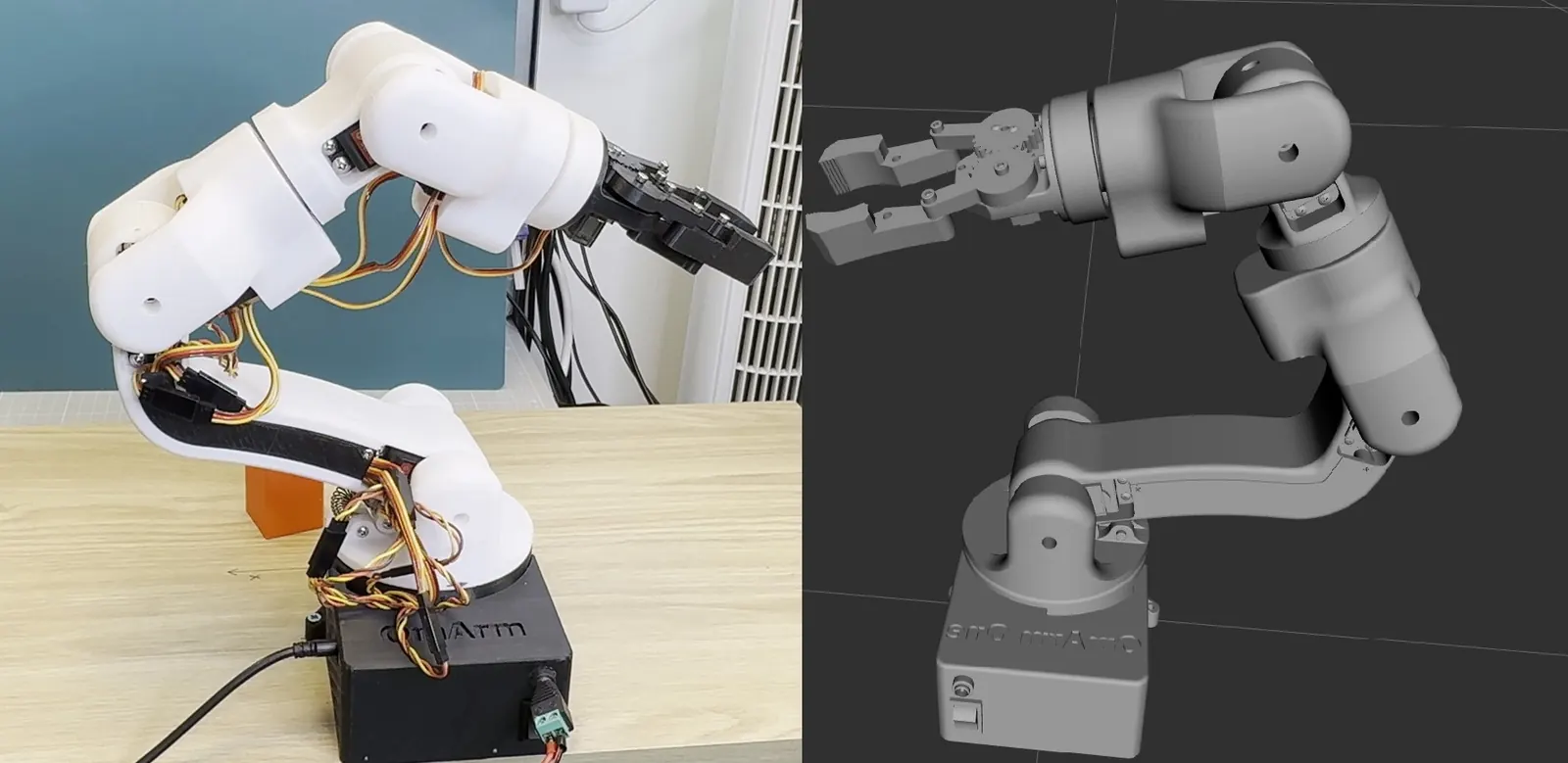
The OmArm One in ROS 2, from a calibrated digital twin to MoveIt 2 planning a pose and the real arm executing it. The complete workspace of Parts 2 and 3: corrected URDF/xacro model with all 12 meshes, the ros2_control hardware driver for the ESP32, the MoveIt 2 configuration package, Gazebo Harmonic simulation, the ESP32 firmware with unit tests, operator and calibration tools, a 13-chapter workspace book, and both PDF guides (48 + 57 pages). Replaces the Part 2 package; one download for both parts.
Digital download, nothing is shipped. No VAT charged (small business, § 19 UStG).
Personal-use license: build and print for yourself; no sharing of the files and no selling of files or printed parts. License details
Description
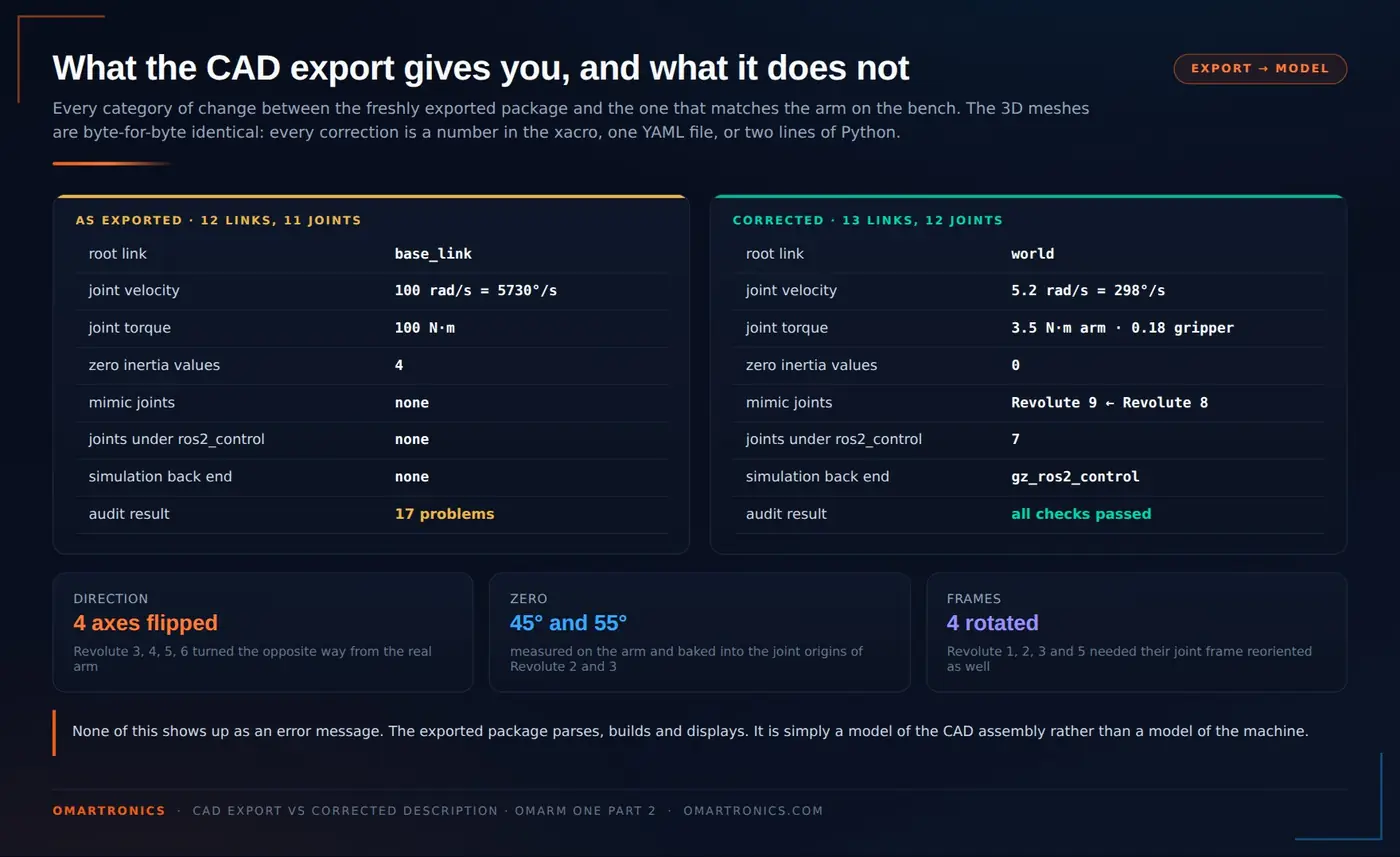
The OmArm One in ROS 2, from a model that matches the real arm to MoveIt 2 planning a pose and the real servos executing it. This package is the complete workspace from Parts 2 and 3 of the OmArm One series: the corrected URDF/xacro description with all twelve meshes, the ros2_control hardware driver that talks to the ESP32 over one USB cable, the MoveIt 2 configuration package, the Gazebo Harmonic simulation, the ESP32 firmware with its PC-side unit tests, the operator and calibration scripts, a 13-chapter workspace book, and both written guides as PDFs (48 + 57 pages). The model is not the raw CAD export: joint directions, zero positions and limits were measured and corrected against the built arm, and the guides show every change with the arithmetic behind it.
What’s included
omarm_one_ws — the ROS 2 workspace
omarm_description: the calibrated model.omarm.xacrowith 13 links and 12 joints, 12 STL meshes, RViz and Gazebo launch files, and the one xacro argument (use_sim) that switches the same model between the Gazebo plugin and the serial driveromarm_hardware: the ros2_control driver in C++. Handshake with the firmware, position adoption at start-up so the first commanded motion is zero, whole-trajectory upload instead of streaming, emergency stop and resumeomarm_moveit_config: the MoveIt 2 package generated with the Setup Assistant and then corrected by hand: SRDF with 42 collision pairs disabled, planning groupsomarm_armandomarm_gripper, named poses, KDL kinematics, joint limits, controllers, launch files for RViz, Gazebo and the real armomarm_simulation: Gazebo Harmonic world, ros_gz bridge configuration and demo nodesesp32_firmware/omarm_one_ros2_serial: the firmware you flash. Serial protocol, 250 Hz motion core, trajectory follower with spline checks between the waypoints, latched emergency stop, position confirmation after a power cycle. Three PC-side tests (189 checks) compile with g++, no board neededtools/: start, stop and restart the whole stack, jog a joint, move to a pose, capture the zero pose, calibrate a joint,doctor.shfor diagnosis, andcheck_description.py, the URDF audit script from Part 2docs/: the workspace book, 13 chapters from theory to troubleshooting, built from real failures- The raw CAD export, kept beside the corrected model so you can diff the two. The audit script finds 17 problems in it and none in the shipped model
OmArm-One-Digital-Twin-Guide.pdf — Part 2, 48 pages
- What a digital twin is, ROS 2 and URDF in the length you actually need
- Preparing the CAD in Fusion 360 and running the free URDF exporter, step by step with screenshots
- Reading the export critically: the seventeen problems, what each one does in RViz and Gazebo, and the fix
- Matching the model to the machine: reversed axes, measured zero offsets, the arithmetic that puts them into the geometry
- RViz, Gazebo, activating the controllers, sending a trajectory, verifying the twin against the real arm
OmArm-One-MoveIt-ros2control-Guide.pdf — Part 3, 57 pages
- Every way a CAD export disagrees with the built arm, and the ruler-and-afternoon audit that finds each one
- What a ros2_control controller is, the controller manager’s read-update-write cycle, the three controllers on this arm
- Forward kinematics, Denavit-Hartenberg parameters derived from the URDF, and the closed-form inverse kinematics of the 6R wrist with all eight solutions
- Why MoveIt uses a numerical solver anyway, and what trajectory planning adds on top of IK
- Every screen of the MoveIt Setup Assistant, including the one that refuses the obvious end effector parent link
- From a MoveIt trajectory to a servo pulse: the driver, the serial protocol, the firmware gate, and the first run on the real arm
- Troubleshooting from real debugging sessions, FAQ
The model
- 13 links, 12 joints: six revolute arm joints, a five-joint gripper with one motor, and a fixed joint that bolts the base to the world
- Arm joints 0 to 180 degrees, velocity 5.2 rad/s and effort 3.5 N·m, matched to the DS3240-180 servo at 5 V
- Gripper:
Revolute 8driven 0 to 1.6 rad,Revolute 9mimics it, fingers rigid - Controllers:
joint_state_broadcaster,omarm_arm_controllerandomarm_gripper_controller(joint trajectory controllers), the same names in simulation and on the real arm - Firmware limits: 120 trajectory points, 200 °/s hard velocity limit, spline checked at 32 steps between waypoints, 250 Hz servo update
Requirements
- Ubuntu 24.04 with ROS 2 Jazzy (on Windows: WSL 2), MoveIt 2, ros2_control, colcon, xacro. The exact apt line is in the workspace book
- For the simulation: Gazebo Harmonic via
ros-jazzy-ros-gzandros-jazzy-gz-ros2-control - For the real arm: the OmArm One from Part 1 with its ESP32 and PCA9685, the Arduino IDE with the Adafruit PWM Servo Driver library. Everything up to that point runs without hardware
Quick start
Unzip the download, copy omarm_one_ws to your home folder, then:
cd ~/omarm_one_ws
colcon build
source install/setup.bash
ros2 launch omarm_moveit_config demo.launch.py
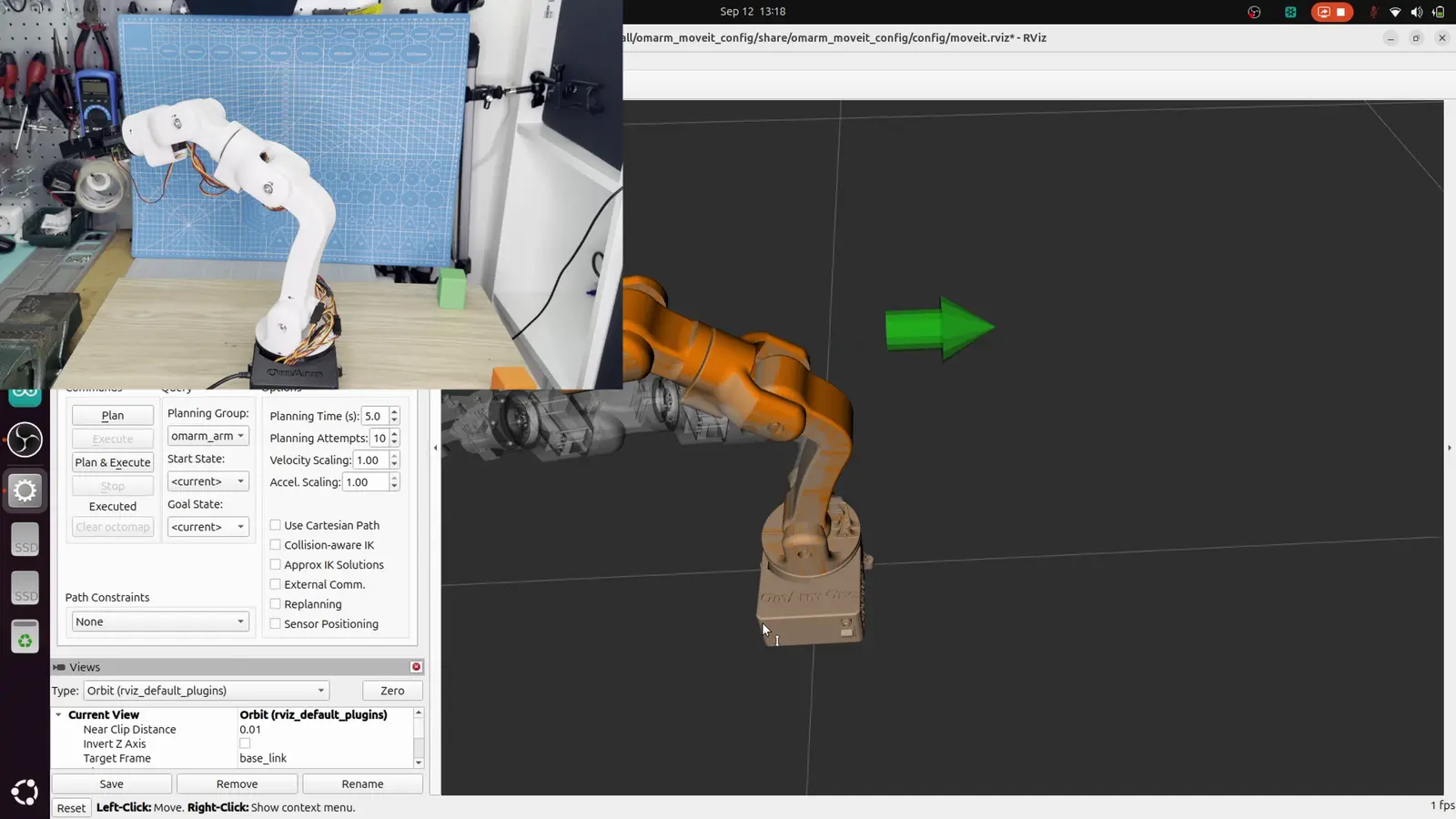
RViz opens with MoveIt. Drag the marker on the gripper, press Plan, and the orange ghost walks the trajectory before anything moves. display.launch.py shows the model with sliders, gazebo.launch.py starts the physics simulation, and tools/restart_hardware.sh brings up the stack against the real arm. The README and the workspace book list every command.
Good to know
The servos have no position feedback, so after a power-up the firmware asks you to confirm the arm’s pose once before it moves (one service call, shown in the README). An emergency stop service is included and the driver releases it automatically on the next start.
Part of a series
Part 1 built the arm, Part 1.5 added a game controller, Part 2 built the digital twin, Part 3 brings ros2_control down to the real hardware and adds MoveIt 2 motion planning. This download covers Parts 2 and 3; it replaces the Part 2 package, and buyers of the Part 2 package get the update from the same product. Part 4 adds a camera.
Part 3 written guide: https://omartronics.com/moveit-2-ros2-control-robot-arm-inverse-kinematics/
Part 3 video: https://youtu.be/Gzo9G1A3wVw
Part 2 written guide: https://omartronics.com/fusion-360-urdf-ros2-digital-twin-rviz-gazebo/
Part 2 video: https://youtu.be/Auccq-NI4vI
License
The ROS 2 code and the ESP32 firmware are MIT-licensed; the same source is published on GitHub, and that public copy is the one to fork and share. The STL meshes and the two PDF guides are for personal, non-commercial use only. Redistribution, resale or sharing of the files, original or modified, is not permitted.
Only logged in customers who have purchased this product may leave a review.
Related products
-
Advanced Autonomous Robot Car (Arduino Mega) – 3D Print Files (STL)
Free Add to cart -
Launch price
OmArm One: 7-DOF (6+1 Gripper) Robot Arm on Real Ball Bearings – CAD, Firmware, BOM, Build Guide & Game Controller (Parts 1 + 1.5)
19,00 €Launch price until 30 Nov 2026, then 49,00 € Add to cart -
Launch price
6-DOF Robotic Arm with Bluetooth (HC-05) – 3D Print and CAD Files (STL + STP)
4,90 €Launch price until 30 Nov 2026, then 14,90 € Add to cart -
Line-Following Robot with TCS34725 & KY-033 Sensors – 3D Print Files (STL)
Free Add to cart
Reviews
There are no reviews yet.